An alternative to Workflowy
What an endless list does well, plus what is sometimes missing: formatting, screenshots and dates.
Try it now, no account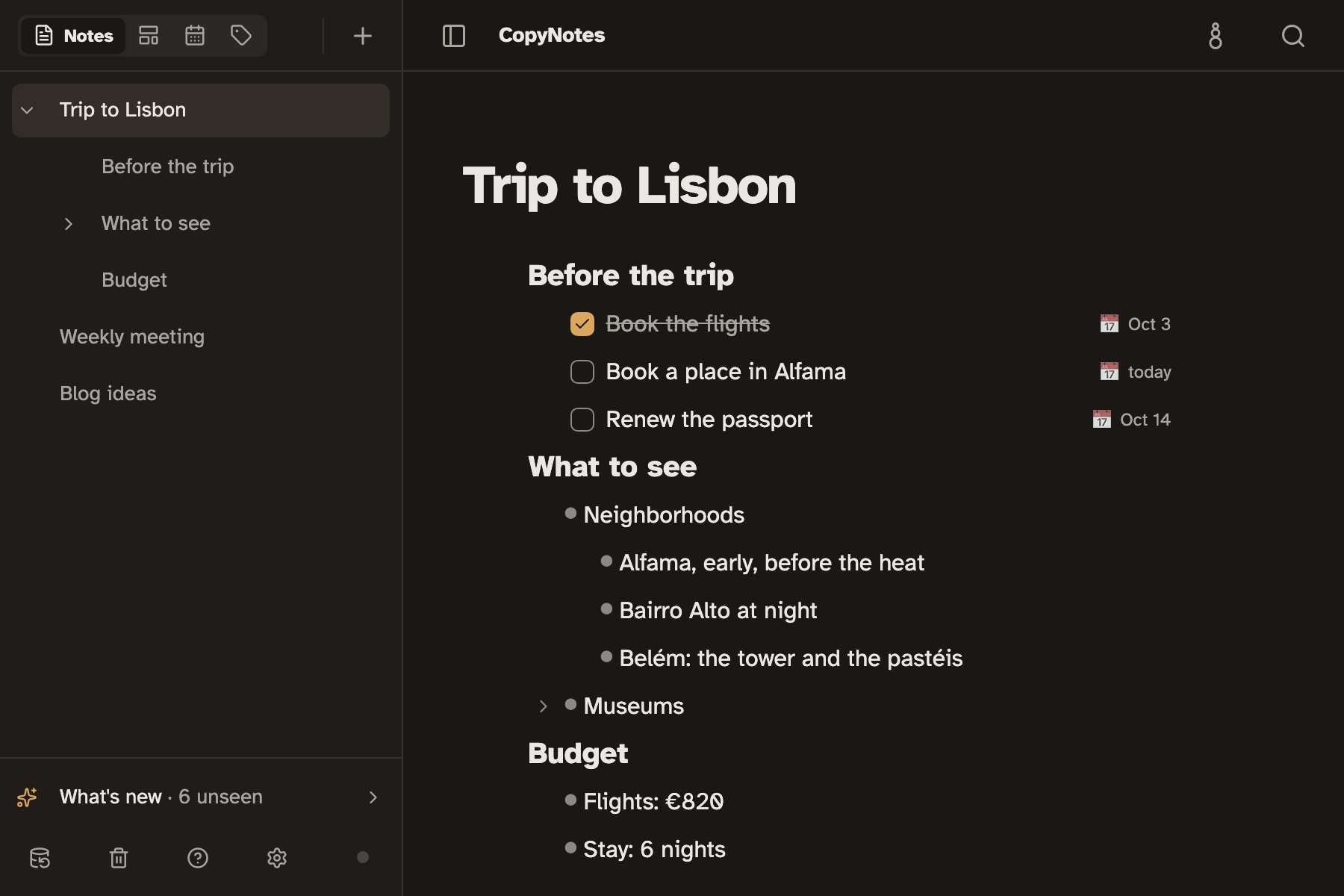
When a list is not enough
- You need a heading, a color or a screenshot in the middle of the list.
- Tasks with dates need to be seen together, in a calendar.
- The list has to open even without internet.
What CopyNotes adds
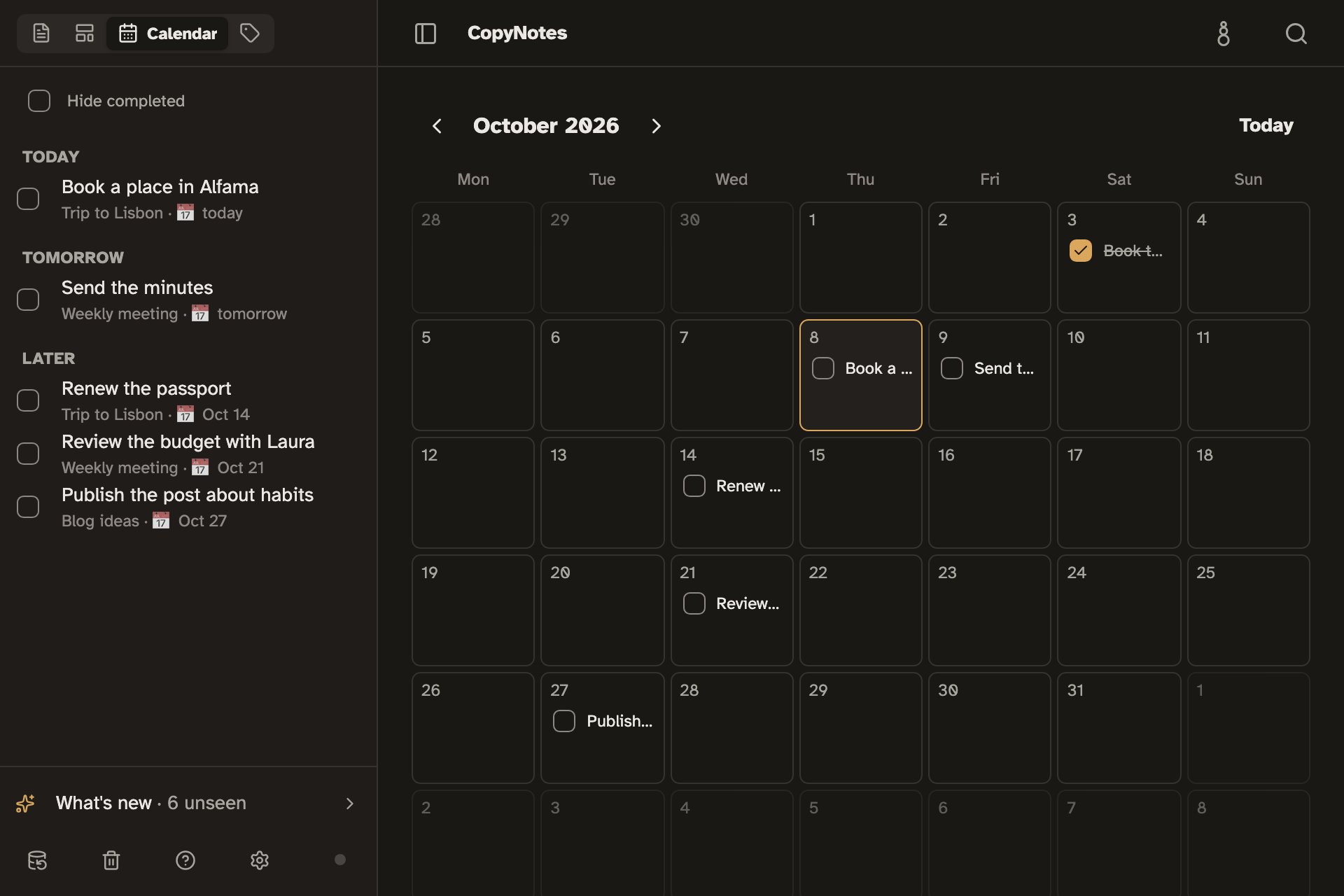
Tasks with dates and a Calendar
Turn a line into a task, give it a date, and it shows up in the Calendar with the rest.
Formatting and screenshots mid-list
Three heading sizes, bold, colors, links, tables and screenshots, without leaving the list.
Lines inside lines
Indent with Tab, collapse a section, and zoom into a line to work only there, with the way back at the top.
Opens instantly, even offline
Your notes live on your device. CopyNotes opens right away and works the same on a plane or on a subway with no signal.
What it leaves out, on purpose
CopyNotes has no mirrors of the same line in two places and no kanban boards. If those two are at the center of your work, Workflowy has them. CopyNotes bets on a note that is comfortable to read and write.
Frequently asked questions
Is it free?
Yes. Writing and organizing notes on your device is free and needs no account.
Do I need an account?
No. CopyNotes works fully without an account. You only need one to keep the same notes on several devices, and that sync is in beta and enabled by invitation.
Can I bring a list from Workflowy?
Yes. A list copied in Workflowy and pasted into CopyNotes arrives with one line per bullet; you rebuild the levels with Tab.
Does it work on my phone?
Yes, in your phone's or tablet's browser. You can also install it from the browser, with its own icon, like any other app.
An alternative to Workflowy
Try it now, no account