A simple alternative to Notion
Notes, lists and tasks without building a workspace first. Open it and write.
Try it now, no account
When Notion feels like too much
- For a quick idea, opening and waiting is already too much.
- Before writing, you have to decide on pages, databases and properties.
- Whatever you jot down in a hurry ends up anywhere.
What CopyNotes does differently
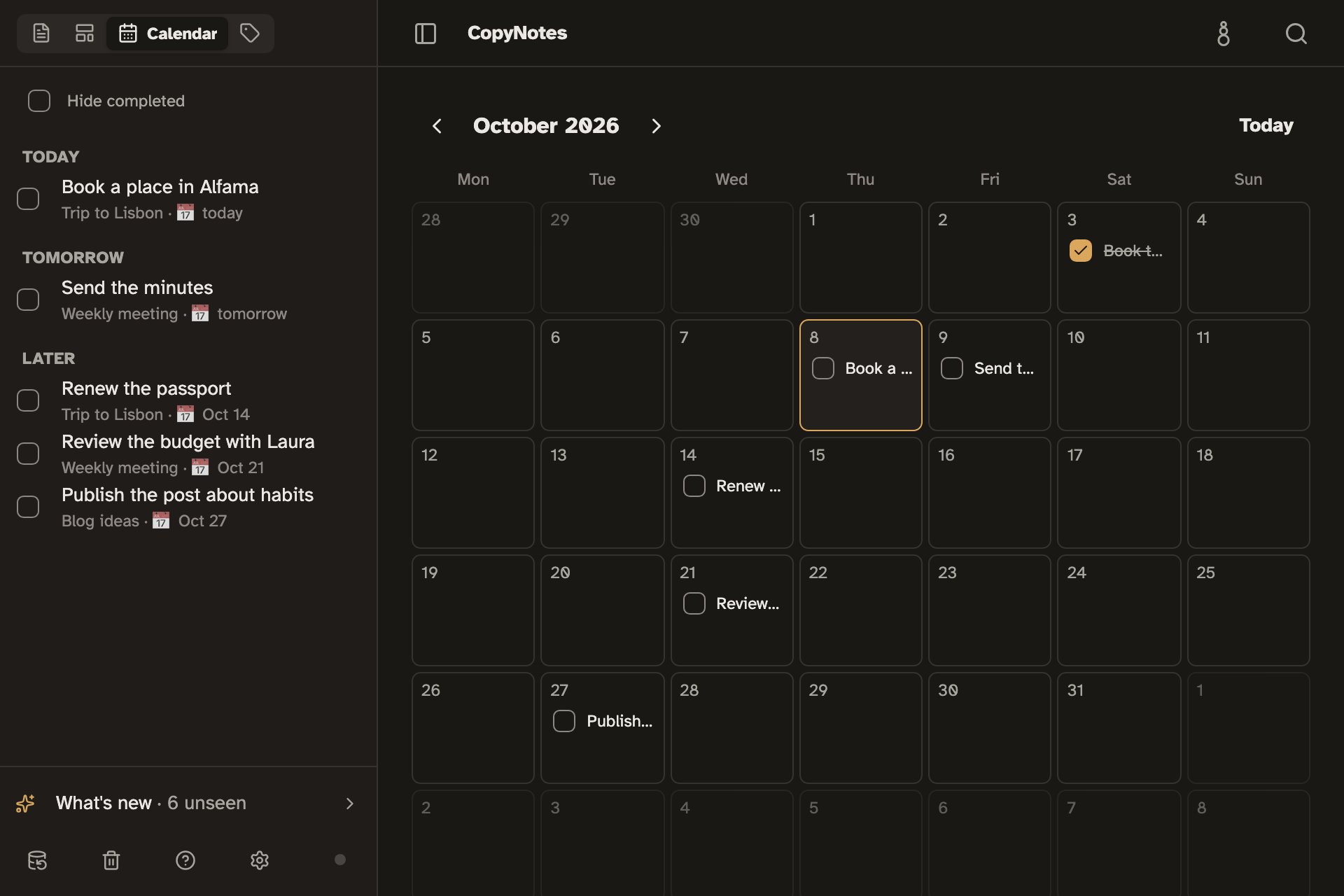
Tasks with dates and a Calendar
Turn a line into a task, give it a date, and it shows up in the Calendar with the rest.
Lines inside lines
Any line can hold others inside it, collapse to see the note from afar, or open as if it were a separate note.
Opens instantly, even offline
Your notes live on your device. CopyNotes opens right away and works the same on a plane or on a subway with no signal.
Copies clean anywhere
Copy a line, a section or the whole note, and it arrives intact in an email, a chat or a document.
What it leaves out, on purpose
CopyNotes has no databases, boards, team workspaces or built-in AI assistant. For a team running projects with all of that, Notion is the better choice. CopyNotes is for writing, organizing and finding.
Frequently asked questions
Is it free?
Yes. Writing and organizing notes on your device is free and needs no account.
Do I need an account?
No. CopyNotes works fully without an account. You only need one to keep the same notes on several devices, and that sync is in beta and enabled by invitation.
Can I bring my notes from Notion?
Yes. Notion exports its pages as Markdown (.md) files; once you unzip that file, CopyNotes imports the .md files as new notes, with their titles and tasks.
Does it work on my phone?
Yes, in your phone's or tablet's browser. You can also install it from the browser, with its own icon, like any other app.
Where are my notes stored?
On your device, inside the browser. To keep a separate copy, you can download a backup file at any time.
A simple alternative to Notion
Try it now, no account